
Copilot Dynamic Workflows Make Agent Runs More Repeatable
GitHub Copilot dynamic workflows put multi-agent orchestration into reusable code, with limits, checkpoints, and resumable runs.
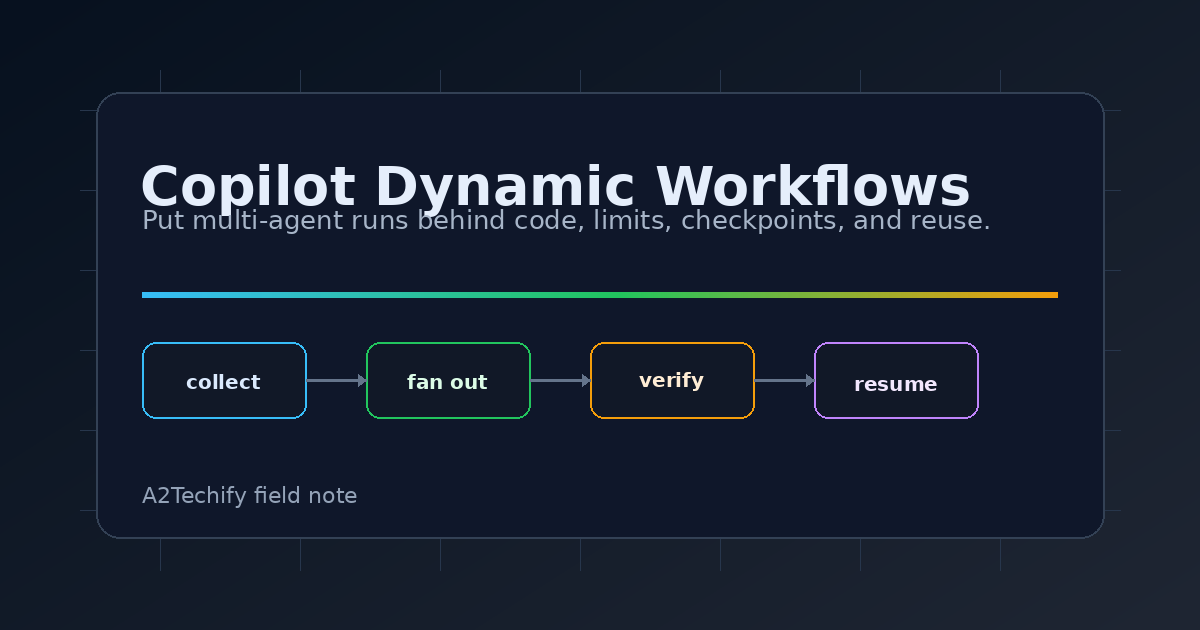
GitHub has put a useful boundary around agent work: dynamic workflows are now available in Copilot CLI, the GitHub Copilot app, and the Copilot SDK. Instead of asking an agent to improvise the same multi-step process every time, a team can define the process in code and let agents handle the parts that need judgment.
That distinction matters. The most expensive agent failures are often not model failures. They are process failures: the run fans out too widely, skips a verification step, forgets the same limit, or produces a result that cannot be resumed after a pause. Dynamic workflows are GitHub’s answer for the repeatable version of that work.
What Changed
GitHub says dynamic workflows are available across Copilot plans and are in public preview. In Copilot CLI, they require experimental features, either by starting the CLI with --experimental or enabling /experimental on in an interactive session.
A dynamic workflow is a program inside a Copilot extension. It can run deterministic steps, call tools or services, launch one or more agents, pass structured results between stages, pause at checkpoints, and resume later. The same workflow can run sequentially, in parallel, or as a mix of both.
The practical shape is closer to a small workflow engine than a long prompt. GitHub’s SDK docs show workflows registered with a stable name, phases, an optional argument schema, and a run function. Inside that function, the workflow can call agents, run parallel work, journal durable steps, and return a JSON result.
Why We’re Paying Attention
Teams are already turning agent work into informal procedures:
scan changed files
split review by directory
ask an agent for risks
ask another agent to verify the risks
summarize only confirmed findings
That procedure is valuable, but a prompt is a weak place to store it. It is hard to test, hard to share, and easy to change accidentally.
Dynamic workflows move the orchestration into code while still using agents for judgment-heavy pieces. That makes them a better fit for work where the order, limits, and handoffs matter: release checks, broad pull request review, incident analysis, migration sweeps, and long-running research tasks.
The bigger lesson is not specific to GitHub. Agent systems become more useful when the deterministic shell is boring and explicit. Let code choose the files, enforce the limits, persist checkpoints, and merge structured outputs. Let the model spend its attention on the parts where natural language reasoning helps.
How It Works
A workflow lives in a Copilot extension and is registered with Copilot. A simplified SDK shape looks like this:
import { defineWorkflow, joinSession } from "@github/copilot-sdk/extension";

const reviewChanged = defineWorkflow({
  meta: {
    name: "review-changed",
    description: "Review changed files and verify findings.",
    phases: [{ title: "Review" }, { title: "Verify" }],
    argsSchema: {
      type: "object",
      required: ["files"],
      properties: {
        files: { type: "array", items: { type: "string" } }
      }
    }
  },
  run: async (ctx) => {
    ctx.phase("Review");
    const reviews = await ctx.parallel(
      ctx.args.files.map((file) => () =>
        ctx.agent(`Review ${file}`, { label: `review:${file}` })
      )
    );

    ctx.phase("Verify");
    return await ctx.step("report-v1", () => ({ reviews }));
  }
});

await joinSession({ workflows: [reviewChanged] });
The details are important:
ctx.parallelcan fan out independent work and gather the results.ctx.stepjournals a JSON result under a stable key so a resumed run can reuse completed work.ctx.pausecreates a durable checkpoint when a human review should happen before continuing.ctx.agentcan request structured output, but callers still need to guard againstnullresults.- Workflow limits can cap concurrent subagents, total subagents, active runtime, or approximate AI credits.
The CLI also has a direct command shape for existing workflows:
copilot workflow run review-changed \
  --args '{"files":["src/api.ts","src/auth.ts"]}' \
  --allow-tool=read
That matters for scripts and CI-like use cases. GitHub’s docs note that command-line workflow runs do not show interactive permission prompts, so the caller must grant needed permissions up front.
A Small Useful Test
This post does not need a sample repo. A useful example depends on a working Copilot CLI setup, Copilot entitlements, and extension placement, so a repo would mostly duplicate GitHub’s preview docs.
The better first test is to take one messy recurring agent task and turn it into a workflow outline before writing code:
Name: stale-review-comments
Input: repository path and base branch
Step 1: list merged pull requests with unresolved comments
Step 2: group comments by file and topic
Step 3: ask one agent whether each comment still applies
Step 4: ask a second agent to verify only the positive findings
Step 5: report comments only when both agents agree
Limit: small PR window, low AI-credit ceiling, read-only tools
Checkpoint: pause before opening any issue or PR
If that outline is useful, the workflow is a candidate. If the task is still just “answer this question” or “make this small change,” normal Copilot chat is probably enough.
Cost And Operational Notes
The preview is friendly to experimentation because it is part of Copilot rather than a separate paid API integration, but it is not free of operational cost. Workflows can launch many subagents, and GitHub’s docs call out AI-credit limits because large runs can consume a lot of model work.
Set limits from the start. For broad scans, start with a small file set, record the actual credit usage, and only then raise the ceiling. The maximum AI-credit limit is approximate rather than a hard pre-paid cap, so parallel work can settle above the target after it is already in flight.
Permissions need the same care. Subagents inherit the session’s permission grants. In interactive CLI sessions, new permission requests can surface as prompts. In copilot workflow run, prompts are not shown, so missing permissions are denied unless they were granted up front. That is a good default for automation, but it means workflow authors should document the tools and URLs their workflow expects.
The SDK API is experimental, and the public docs mark the feature as preview. Keep workflows small, version journal keys when a step’s meaning changes, and avoid side effects inside journaled steps unless they are idempotent.
What We’d Watch Next
The strongest use case is repeatable agent work that already has an operating procedure. Security review, release readiness, migration auditing, and incident analysis all benefit from explicit phases and resumable state.
The risk is that teams will turn every prompt into a workflow. That would add code and maintenance without improving the result. The better rule is simple: if the work needs limits, checkpoints, structured handoffs, or multiple agents that must agree, consider a dynamic workflow. If it needs one fast answer, use the ordinary chat path.
For small teams, the immediate opportunity is to pull the most fragile agent routine out of a saved prompt and put the orchestration in code. The model can still do the reasoning, but the run no longer has to remember the process from scratch.